

Are you a big fan of Disney Plus but find its subscription fees a bit steep? What if we told you that you could actually get Disney Plus for about $2.40 per month with the help of a VPN? In this article, we’ll explain how a VPN can help you get Disney Plus cheaper and provide you with a step-by-step guide on how to do it.
What is a VPN
A VPN, or Virtual Private Network, is a service that encrypts your internet connection and routes it through a server located in a different location. This makes it appear as if you’re browsing the internet from a different location, and allows you to access content that may not be available in your region.
Cheapest way to get Disney Plus
Disney+ prices vary depending on your location. For example, the cost of Disney+ in the US is $11 per month, while in the cheapest country, Turkey, it only cost $2.40 per month. By using a VPN to connect to a server in Turkey, you can Disney Plus the cheapest way.
In what country is Disney Plus cheapest
The cheapest country for Disney Plus is Turkey at $2.40 / month.
| Country | Monthly subscription cost | Monthly subscription cost (USD) |
|---|---|---|
| Turkey | 64.99 TRY | $2.40 |
| Argentina | 1999 ARS | $5.71 |
| Colombia | 25900 COP | $6.29 |
| Romania | 30 RON | $6.59 |
| Brazil | 33.90 BRL | $6.82 |
| United States | $10.99 | $10.99 |
What are the best VPNs for Disney Plus
You will need a reliable VPN that offers high-speed servers located in Turkey. Some of the best VPNs include:
- NordVPN
- ExpressVPN
- Surfshark
- CyberGhost
Step-by-Step Guide: Getting Disney Plus Cheaper in 2023
What you need:
- An Android phone. You will need an Android phone to set things up, but you can watch Disney Plus on whatever device once the setup is done.
- A VPN to Turkey.
1: Choose a VPN provider such as NordVPN
2: Install the VPN app on your phone.
3: if you already have the Disney Plus app installed on your phone, uninstall it.
4: Create a new Gmail account
5: Open the Google payment center and sign in with your new account.
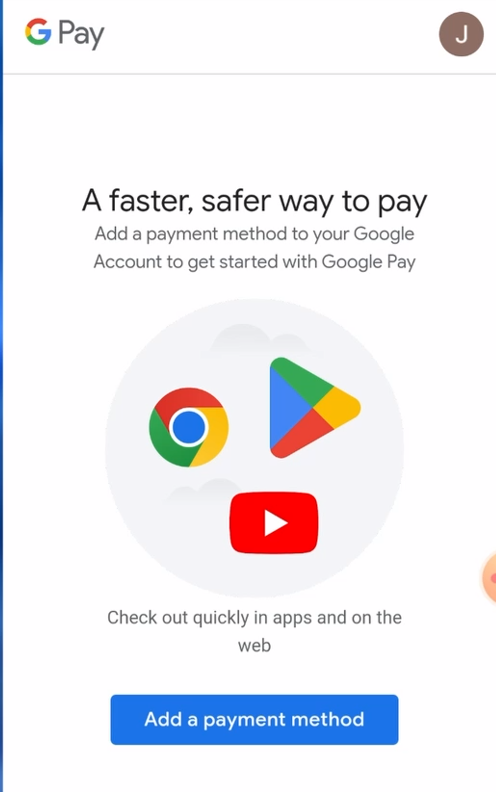
6: Add a new payment option to your newly created account. Use your credit card, but in the address use a Turkish address instead of your own address.
7: On your phone, In your browser, switch to desktop mode and open an incognito tab. Then go to the Disney+ Google Play page
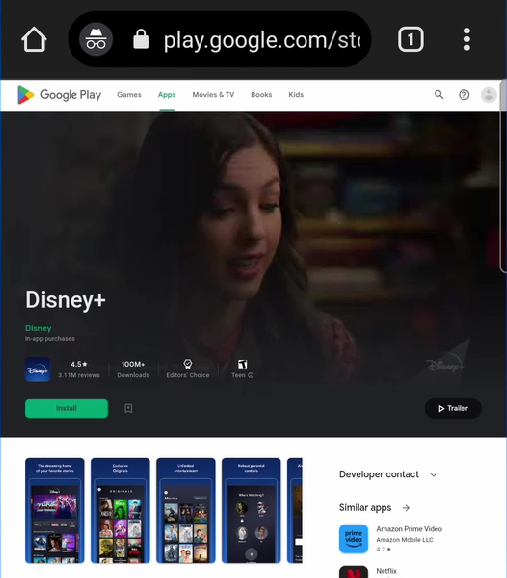
8: Install the app on your phone. It’s important you install the Disney plus app from the Google play website, and not the Google play app.
9: Now open your VPN app on your phone, and connect to a Turkish server.
10: Open the Disney plus app and sign up.

11: Enjoy Disney plus for super cheap. You can use the account you created on your smart TV or whatever other device.
Other ways to save money with a VPN
Many online services adjust their prices depending on the region of the costumer. Using a VPN to change your location unlocks many discounts. Other services you can save money on include: